Ages 10+ · schools · companies
Sineva AI SchoolWhere students stop scrolling and start creating.
Sineva AI School runs hands-on AI cohorts for everyone from 10-year-olds to adults, plus programmes for schools and companies. In seven days, beginners go from their first prompt to their own AI images and videos, a website, and a game that helps them revise their school subjects every day.
- Who it’s for
- Ages 10 to adults, schools and companies
- Format
- 7 days, Monday to Sunday
- Next cohorts
- Beginner Nov 16–22 · Intermediate Dec 7–13 · Advanced Dec 14–20
- Included
- Google AI Pro access for Beginners
Built for every age.
Our mission is to turn passive tech consumers into active AI creators.
Kids and teens, 10+
No coding needed. They make AI art, a website and a game built from their own school subjects.
Adults and professionals
Practical AI for real work, and deeper technical tracks in cloud, language models and machine learning.
Schools
Cohorts on your campus, AI lab set-up and teacher-guided student workshops.
Corporates
Executive and staff training that makes your workforce AI-ready and automates routine work.
Three levels. From creator to engineer.
Start at Beginner with no coding at all, or join a later level if you already build with AI.
- Level 17 days
Beginner
Create with AI
Ages 10 and up, and adults. No coding experience needed.
Includes Google AI Pro access for every student
- AI basics and ethics. How AI works, what it’s good at, where it fails, and how to use it responsibly — good AI versus bad AI.
- AI media creation. Prompt engineering for images, custom AI photos and AI-generated videos.
- Web development. Build a working website with modern AI tools.
- Interactive game building. Build a complete game and put your own study material inside it, so revising becomes something you play every day.
- Level 27 days
Intermediate
Build and ship
Students and professionals who want deeper technical skills.
Includes cloud subscriptions and development credits
- Professional web hosting. Deploy custom web applications to live servers with your own domain.
- Advanced video production. High-end AI video pipelines with lip-sync and voice synthesis.
- Cloud coding and execution. Write and run code in cloud development environments.
- Advanced language models. Hands-on integration with Gemini and other state-of-the-art large language models.
- Level 37 days
Advanced
Engineer AI
Aspiring engineers, developers and entrepreneurs.
- Machine learning training. Data preparation, model training and fine-tuning.
- Custom AI models. Build bespoke AI agents and algorithms from scratch.
- AI application development. Deploy full-stack AI-driven web and mobile applications.
Seven days, day by day.
Every day has a clear goal and ends with something built. Choose a level to see its routine.
Beginner: Create with AI. 7 days · 1 hour on weekdays, 1½ hours at the weekend · Google AI Pro access for every studentOn the first day, your child picks one chapter from a school subject they are studying, for example a Science chapter. Everything they make during the week is about that chapter, so creating with AI also becomes revision.
- Monday1 hour
Meet AI
What AI is, what it can and can’t do, and how to use it safely and honestly. Your child picks the chapter they’ll build everything around.
- Tuesday1 hour
Pictures with AI
Your child learns to describe exactly what they want, and creates the characters and backgrounds for their own game, plus a poster about their chapter.
- Wednesday1 hour
A short AI video
A 15–30 second video explaining one idea from their chapter, with every fact checked against the textbook.
- Thursday1 hour
Their own website
A real website showing their pictures and video, with a link you can open on your phone.
- Friday1 hour
Plan the game
They design their game and turn their chapter into quiz questions.
- Saturday1½ hours
Build the game
A real, playable game — for example a car race that stops after each level and asks questions from their chapter before the next level opens.
- Sunday1½ hours
Showcase day
Your child presents their website and game to family and friends, learns to revise with their game for 10 minutes a day, and receives their certificate.
Safe and supervised: we teach what never to share with AI, how to check its answers, and the difference between learning with AI and copying.
Intermediate: Build and ship. 7 days · 1 hour on weekdays, 1½ hours at the weekend · Cloud subscriptions and development creditsOn Monday you pick one project of your own: a small product, a tool for your school or work, or a creative idea. Each day adds one piece to it, and on Sunday you launch it publicly.
- Monday1 hour
Your cloud workspace
Set up your accounts and credits, open a cloud coding workspace and choose the project you will build all week. By the end of the hour, a first page of yours is live on the internet.
- Tuesday1 hour
A web app on a live server
Build the first version of your web app with an AI coding assistant, host it on a live server and give it a web address you can share.
- Wednesday1 hour
AI video pipeline
Write a short script, create the scenes, add a synthetic voice and lip-sync it into a finished video of about 30 seconds for your project.
- Thursday1 hour
Cloud coding
Write and run code in a cloud environment, with nothing to install, and automate one real task of your own, such as sorting files or cleaning a spreadsheet.
- Friday1 hour
Language models in your app
Connect Gemini to your app through its API, design the prompts, and see what happens when the model gets something wrong. You also learn how to keep your key secret and your app safe.
- Saturday1½ hours
Put it together
Combine your web app, your video and the language model into one project, try it with the people in class and fix what breaks.
- Sunday1½ hours
Launch and demo
Publish your project, present it to mentors and classmates, and leave with a live link you can show anyone.
Advanced: Engineer AI. 7 days · 1 hour on weekdays, 1½ hours at the weekendOn Monday you choose a problem to solve, for example telling spam from real messages or sorting images into categories. Everything you build during the week works on that problem.
- Monday1 hour
Data
Choose your problem, then collect, clean and label a small dataset for it. You see why most AI failures start with the data, not the model.
- Tuesday1 hour
Train
Train your first model on your dataset and test it on examples it has never seen, so you know how well it really works.
- Wednesday1 hour
Fine-tune
Adapt a pre-trained model to your own data and compare it with the one you trained yesterday.
- Thursday1 hour
Agents
Build an AI agent from scratch that can use tools and remember what it has done, and learn where agents go wrong.
- Friday1 hour
Full stack
Wrap your model or agent in a web or mobile app: a front end people can use and a back end that runs it.
- Saturday1½ hours
Deploy
Ship the app to production, watch how it behaves with real use and fix the first problems that appear.
- Sunday1½ hours
Demo day
Present your AI product to mentors and peers, take their questions and leave with a project you can show in applications or to investors.
Games like the ones students build.
Beginners leave with a portfolio: AI pictures, a short video, a website and a game they revise with every day. Play seven games built the same way, for Classes 6 to 9.
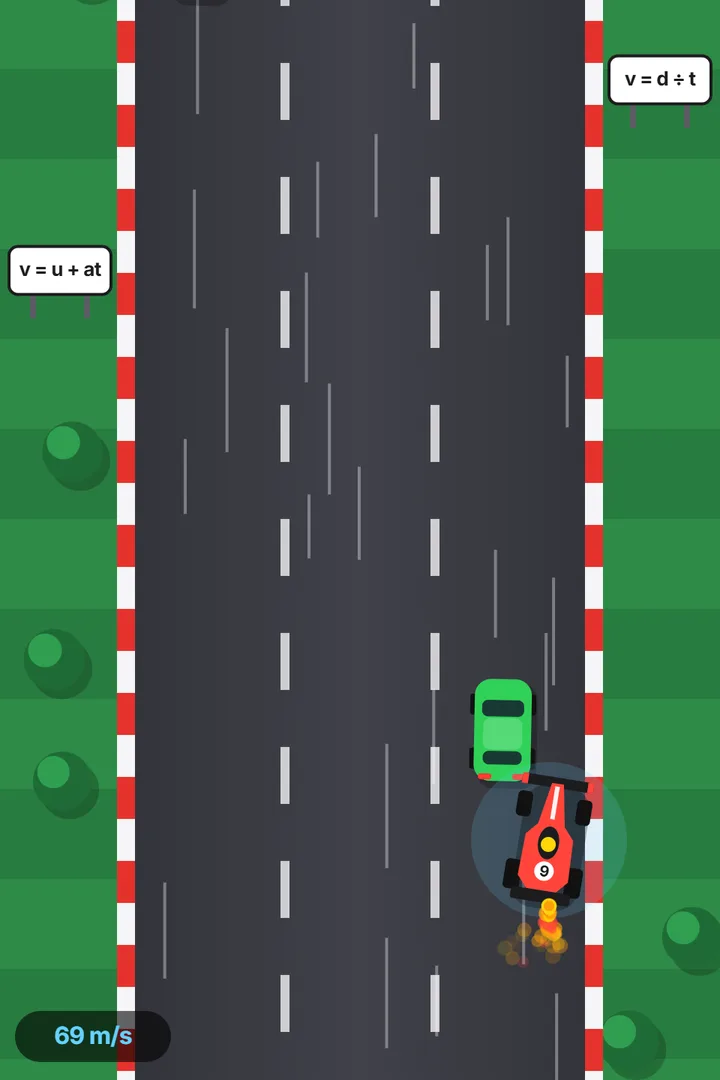 Class 9 Science · Car raceNewton’s Grand PrixMotion · Force and Laws of Motion
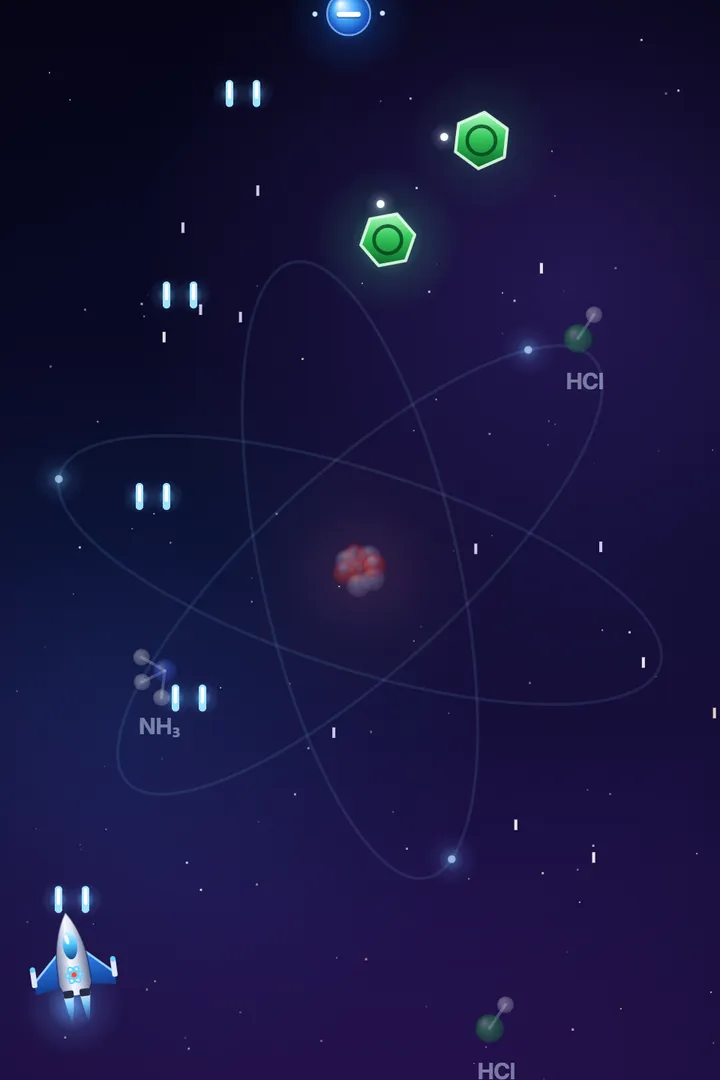 Class 9 Science · Space shooterAtom DefenderAtoms and Molecules · Structure of the Atom
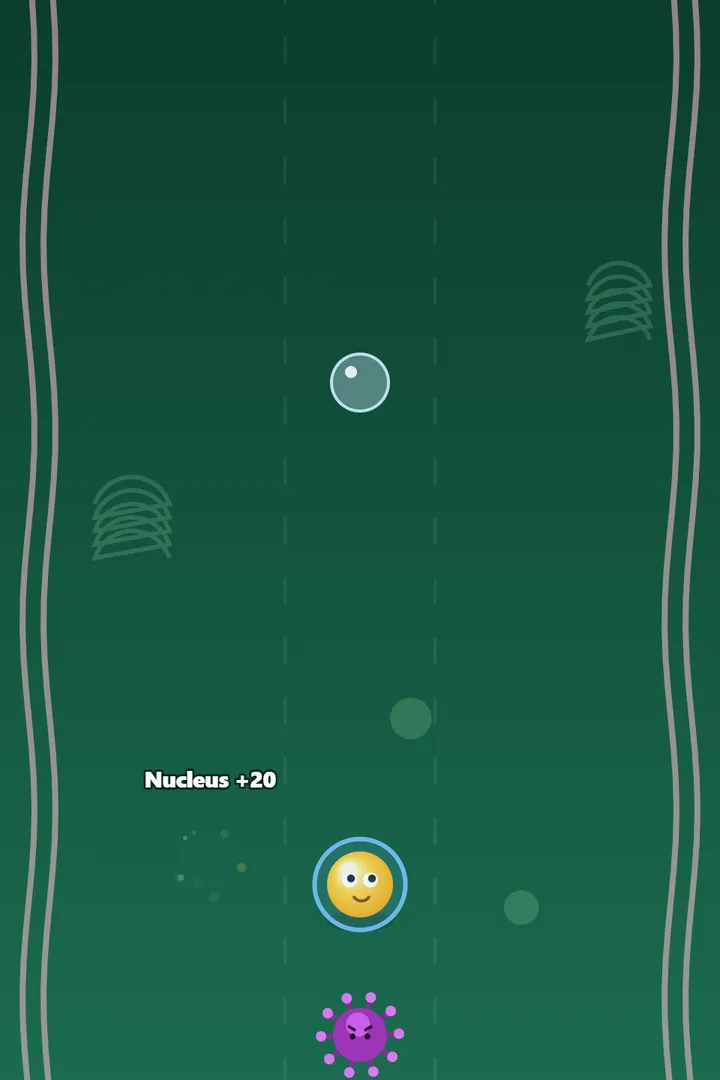 Class 8 Science · Endless runnerCell RunnerCell: structure and functions
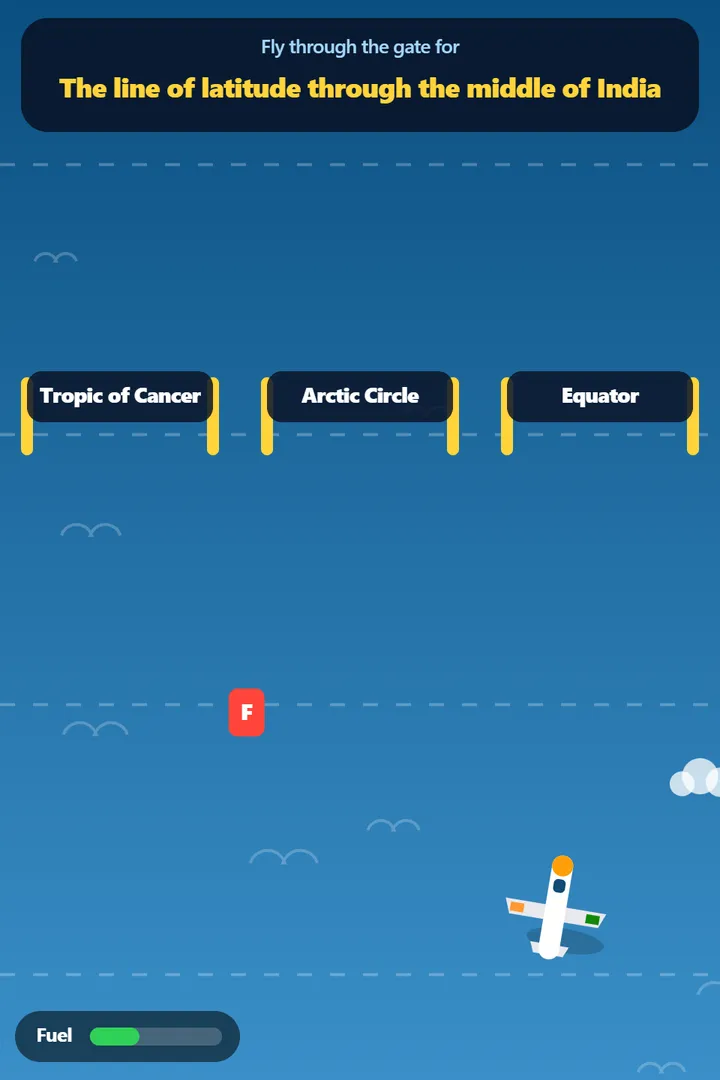 Class 6 Geography · Flight adventureIndia ExplorerLatitudes and longitudes · Oceans and continents · Landforms
Upcoming cohorts.
Prices, dates and class times for the United States. Pay the full price when you register.
- Online
Beginner
Monday to Sunday, November 16–22, 2026
6–7 pm weekdays, 6–7:30 pm weekends (ET)
Online: join from anywhere in the US and Canada
- Course fee
- $225
- Online
Intermediate
Monday to Sunday, December 7–13, 2026
6–7 pm weekdays, 6–7:30 pm weekends (ET)
Online: join from anywhere in the US and Canada
- Course fee
- $325
- Online
Advanced
Monday to Sunday, December 14–20, 2026
6–7 pm weekdays, 6–7:30 pm weekends (ET)
Online: join from anywhere in the US and Canada
- Course fee
- $575
Pay the full price when you register. Sales tax is added at checkout where it applies. Class times are in US Eastern time.
For schools and companies.
The same hands-on programme, planned around your students or your team.
Questions parents ask.
Who can join Sineva AI School?
Anyone from 10 years old to adults. Beginner needs no coding experience. Schools and companies have their own programmes.
What will my child make in the Beginner cohort?
AI pictures, a short AI video, their own website, and a complete game built from one chapter of their schoolwork, so they can revise for 10 minutes a day by playing it. Try some games like the ones students build at gruposineva.com/school/games.
When and where are the next cohorts?
Beginner runs Monday, November 16 to Sunday, November 22, 2026; Intermediate runs Monday, December 7 to Sunday, December 13, 2026; Advanced runs Monday, December 14 to Sunday, December 20, 2026. Every level is taught live online, for students in the United States.
How long is each class?
One hour a day from Monday to Friday, and an hour and a half on Saturday and Sunday, when students build their game and present it to their families. Classes run Monday to Friday 6–7 pm, Saturday and Sunday 6–7:30 pm ET.
How much does it cost?
Beginner US$225, Intermediate US$325, Advanced US$575, paid in full when you register. Sales tax is added at checkout where it applies.
Have you run cohorts before?
Yes. We have taught more than 1,000 students and professionals across 21 cohorts; the November cohorts are numbers 22 and 23.
How does payment work?
You pay the full price through a secure payment link when you register. There is no deposit and no early-bird price.
What’s included?
Beginner students get Google AI Pro access for the course. Intermediate students get cloud subscriptions and development credits. Everyone who completes a cohort receives a certificate.
What does a student need?
A laptop with a modern browser. Online students also need a stable internet connection.
Is it safe for children?
A parent or guardian registers every student under 18. Ethics and safe use — what AI gets wrong and what never to share with it — are taught from day one.
Pick your cohort.
Beginner starts Monday, November 16, online. Intermediate starts Monday, December 7, online. Advanced starts Monday, December 14, online. Pay the full price when you register.